I've been in the wellness space for a long time, and I can tell you this: the hunt for the best yoga studio software usually ends with a simple truth. The "best" platform is the one that just clicks with your studio's unique vibe and operational needs.
For a cozy, boutique studio, an intuitive, all-in-one platform like Book & Go might feel like a perfect fit. But a multi-location franchise? They'll likely need the kind of heavy-duty, enterprise-level analytics you get from a different kind of provider. It all comes down to your business model, your budget, and where you see yourself in a few years.
Finding Your Way Through the Yoga Software Maze
Choosing your management platform is easily one of the biggest decisions you'll make as a studio owner. Think of it as the central nervous system of your entire business. It's what handles everything—from the moment a new student stumbles upon your schedule online to the seamless way their membership renews each month.
A great system just works. It hums along quietly in the background, making every interaction smooth for both your clients and your team. The wrong one, however, creates constant friction. It frustrates students and forces you into a world of manual workarounds, eating up time you simply don't have.
This guide is here to help you cut through all that noise. We're going to skip the generic feature lists and give you a clear, decision-focused roadmap. My goal is to arm you with the real-world insights you need to pick a partner that doesn't just fix today's admin headaches, but actually helps you build the community and business you've always envisioned.

The Core Pillars of a Great System
To find the right fit, we need to look at how the top contenders stack up across four critical areas of studio management. These are the core functions where your software will either become your greatest asset or your biggest bottleneck.
| Pillar | What It Really Means | The Impact on Your Studio |
|---|---|---|
| Scheduling & Booking | Your class calendar, instructor management, waitlists, and online booking. | This is your digital front door. It shapes a client's first impression and directly impacts how easily they can engage with you. |
| Client Management | Member profiles, attendance history, communication tools, and membership options. | This is the heart of your community. It's what allows you to build relationships and foster real, long-term loyalty. |
| Payments & Billing | Integrated payment processing, automated renewals, and class pack sales. | This is all about your cash flow and financial stability. It cuts down on admin and ensures you get paid on time. |
| Marketing & Growth | Email automation, reporting, and a branded app. | These are the tools that help you attract new students, keep your regulars coming back, and make smart decisions for growth. |
By breaking down each platform's strengths and weaknesses in these key areas, we can match software features to what you actually do day-in and day-out. It’s a structured way to make sure you end up with a solution that truly serves your business.
The Non-Negotiable Features Every Yoga Studio Platform Needs
When you're shopping for yoga studio software, it's easy to get lost in a sea of shiny features. But before you look at the bells and whistles, you need to make sure the foundation is solid. Certain core features aren’t just nice-to-haves; they are the absolute essentials that keep your studio humming, your students happy, and your sanity intact.
Think of the right platform as your digital studio manager. It’s the tool that frees you from the back-office grind so you can get back on the mat and connect with your community. Let’s walk through the must-have features that should be at the top of your checklist.
Effortless Online Booking and Scheduling
Your class schedule is the heart of your business. If booking a class is a confusing, multi-step nightmare, you're losing students before they even set foot in your studio. Your software needs to deliver a clean, intuitive, real-time calendar that lets clients book, cancel, or hop on a waitlist in seconds, from any device.
But it’s not just about the student experience. It has to make your life easier, too. A great system should let you:
- Quickly assign instructors to classes and workshops.
- Set and manage room capacity to prevent overbooking.
- Handle recurring bookings for your dedicated members.
- Swap out instructors for a sub without a dozen manual changes.
A smooth booking process has a direct line to your attendance and revenue. Make it easy for people to show up, and they will.
A recent study found that 88% of online users won’t return to a website or app after a bad experience. That’s not just a stat; it’s a warning. Your booking flow is a critical part of your student retention strategy.
Integrated Payments and Memberships
Stop chasing down late payments and manually tracking who’s paid for what. A top-tier platform must have payment processing built right in, creating a secure and professional experience from the moment a student decides to buy. This is fundamental for maintaining healthy cash flow and offering the kind of flexible pricing your community needs.
Your software should be able to juggle everything from a single drop-in class to a complex annual membership without breaking a sweat. As you compare options, pay close attention to platforms that excel at integrating payment gateways, which is key to making transactions invisible and automatic. If you’re curious about the nuts and bolts, you can learn more about integrating payment gateways.
Make sure your choice can handle these key functions:
- Automated recurring billing for memberships.
- Securely stored payment info for one-click purchases.
- Automatic failed payment notifications to you and the client.
- Easy-to-create class packs and new student specials.
Smart Client Management Tools
A yoga studio is built on relationships, not just transactions. That’s why a good Client Relationship Management (CRM) tool is non-negotiable. It should be your studio’s memory, keeping track of every student's journey from their very first class.
A solid CRM helps you see the people behind the numbers. You can personalize emails, celebrate birthdays, and notice when a regular student hasn't been in for a while. It’s how you turn a first-time visitor into a devoted member of your community.
The market gets it, too. The global Yoga Studio Class Scheduling Software market hit USD 148 million in 2023 and is expected to more than double by 2032. That explosion in growth is happening because studios realize they need software that nurtures their community, not just fills their classes.
Want to see how this all comes together? Check out our complete guide on yoga studio scheduling software.
A Quick-Look Guide to Essential Features
To help you get started, here’s a simple checklist that breaks down what really matters when you’re comparing platforms. Think of this as your baseline—if a software can't do these things well, it's not the right fit.
Essential Yoga Studio Software Feature Checklist
| Feature Category | Core Functionality | Why It's Important |
|---|---|---|
| Booking & Scheduling | Real-time, mobile-friendly calendars; waitlists; instructor assignments. | Reduces friction for clients and saves administrative time. |
| Payments & Memberships | Integrated payment processing; automated recurring billing; class packs. | Ensures consistent cash flow and offers pricing flexibility. |
| Client Management (CRM) | Centralized client profiles; attendance history; communication tools. | Helps you build relationships and improve student retention. |
| Reporting & Analytics | Dashboards for attendance, revenue, and client retention. | Provides the data you need to make smart business decisions. |
Ultimately, these core features work together to create a seamless experience for both you and your students. With a strong foundation in place, you can stop managing logistics and start building your dream studio.
Foundational Reporting and Analytics
You can’t grow what you don’t measure. Even the most basic reporting can give you game-changing insights into the health of your studio. The best software offers simple, easy-to-read dashboards that track your most important metrics.
This data is what allows you to stop guessing and start making strategic decisions. At a minimum, look for these essential reports:
- Class Attendance: Pinpoint your most (and least) popular classes and time slots.
- Revenue Reports: See where your money is coming from—by class, membership, or retail.
- Client Retention: Track how many new students come back for a second class.
- Instructor Performance: Identify which teachers consistently draw the biggest crowds.
With this information at your fingertips, you get a clear picture of what's working and what isn't, helping you optimize your schedule and plan for real, sustainable growth.
01 / An open slot at 19:00. Players see it live in your club’s app.
Comparing the Top Yoga Studio Software Platforms
Choosing the right software for your yoga studio isn't about finding a single "best" platform. It's about finding the one that fits your studio's vibe, your community's needs, and your vision for growth. A system that’s perfect for a multi-location chain could easily overwhelm a cozy boutique studio, and a tool built for a solo instructor will lack the muscle a growing business requires.
This isn't just another feature-list comparison. We're going to break down the top contenders through the lens of real-world studio scenarios. By understanding how each platform actually feels in different contexts, you can make a smarter decision that serves your business, your team, and your members. The right software should feel less like a tool and more like a partner.
There's a reason the Yoga Studio Management Software market is booming—it was valued at USD 935.9 million in 2024 and is projected to hit USD 2,500 million by 2035. That explosive growth shows just how critical specialized solutions have become for wellness businesses trying to get it right.
This decision tree shows the common pain points that kickstart the search for new software, branching out from core needs like scheduling, payments, and managing clients.
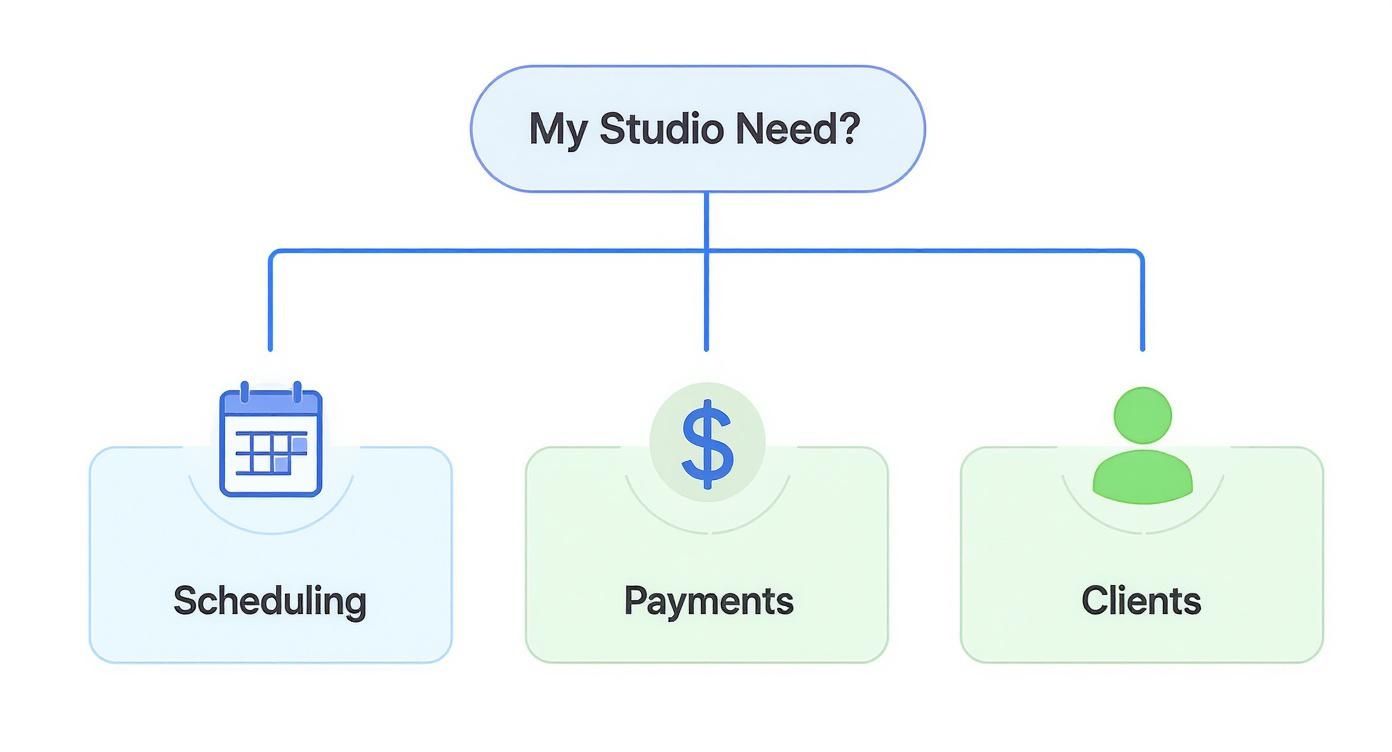
What this really highlights is that while many platforms look similar, the best choice often comes down to solving the one biggest headache your studio is facing right now.
Scenario 1: The Community-Focused Boutique Studio
For the small, single-location studio where personal connection is everything, the software needs to deepen relationships, not just process payments. Your priority isn't complex analytics; it's tools that help you build and nurture your community. You need something intuitive and all-in-one that doesn't demand a dedicated tech person to run it.
In this space, platforms like Momoyoga and TeamUp really hit their stride. They’re built with simplicity in mind, offering clean interfaces that both your instructors and students can figure out in minutes.
- Momoyoga's Strength: Its user experience is incredibly clean and designed purely for yoga. It excels at making class scheduling, pass purchasing, and communication feel effortless. That simplicity is its biggest asset, cutting down the admin time for studio owners who are already wearing a dozen different hats.
- TeamUp's Approach: While also user-friendly, TeamUp gives you a bit more room to grow with more robust membership and integration options. It's a great fit if you're thinking about adding workshops, on-demand content, or more complex pricing tiers down the road without wanting a steep learning curve.
The deciding factor: For a boutique studio, it all comes down to the client-facing experience. Does the booking app feel like an extension of your studio’s welcoming vibe, or is it a clunky, generic portal? The platform that makes your members feel seen and valued will win every time.
These platforms get it right by focusing on features like automated "we miss you" emails for students who haven't been in a while, simple birthday greetings, and easy-to-manage waitlists—all the little things that make a community feel tight-knit.
Scenario 2: The Growth-Minded Multi-Location Studio
Once you're juggling multiple locations, your needs shift dramatically. Scalability and centralization become non-negotiable. Your software has to give you a unified, bird's-eye view of the entire business while still allowing each location the autonomy to run smoothly. This calls for a much more powerful solution.
This is where the heavyweights like Mindbody and Glofox step in. They are engineered to handle complexity, from managing dozens of instructors across different time zones to consolidating financial reports.
- Mindbody's Ecosystem: As one of the most established players, Mindbody’s feature set is massive, covering nearly every aspect of studio management. Its biggest advantage is the huge marketplace, which can be a powerful channel for acquiring new clients. For multi-location studios, its centralized reporting and staff management tools are mission-critical for maintaining consistency and control.
- Glofox's Modern Edge: Glofox offers a sleek, modern alternative with a heavy focus on the branded mobile app experience. It gives studios powerful tools to craft a premium, brand-first digital presence. Its reporting and marketing automation features are built for businesses laser-focused on aggressive growth and retention.
The choice between them often boils down to your primary growth strategy. If your main goal is attracting new clients through a broad network, Mindbody’s marketplace is a huge draw. But if building a powerful, independent brand with a superior mobile experience is the priority, Glofox might be the better fit. As your revenue streams get more complex, it’s a good idea to forecast your earnings with a tool like our Book & Go revenue calculator.
Side-by-Side Software Platform Comparison
To help you see these differences clearly, I've put together a high-level comparison of how these platforms stack up for different types of studios. This isn't about picking a winner, but about finding the right tool for the job.
| Platform | Best For (Studio Type) | Key Differentiator | Pricing Model | Mobile App Experience |
|---|---|---|---|---|
| Mindbody | Multi-location enterprises, large studios | The integrated consumer marketplace for client acquisition | Tiered, often higher-end with add-on costs | Functional, but branding can be secondary to the Mindbody ecosystem |
| Glofox | Growth-focused studios, franchises | A premium, fully branded mobile app experience | Tiered, based on features and number of members | Highly customizable and user-friendly, reinforcing the studio's brand |
| Momoyoga | Boutique studios, solo instructors | Simplicity and an intuitive, yoga-centric design | Simple, often based on the number of teachers | Clean and straightforward for easy booking and management |
| TeamUp | Small to mid-sized studios seeking flexibility | Strong customer support and flexible membership options | Tiered, based on the number of active clients | Reliable and easy to use for both staff and members |
Ultimately, this table proves there’s no single best yoga studio software—only the best fit for your specific business model and where you are on your growth journey.
Scenario 3: The Hybrid Studio Offering On-Demand Content
The boom in hybrid fitness means many studios now need a platform that can seamlessly manage both in-person classes and digital content. This goes beyond a simple scheduling tool; you need a solution with integrated video-on-demand (VOD) capabilities built-in.
Here, the choice gets a little more nuanced. Some platforms, like Glofox and Mindbody, offer integrated VOD libraries as a premium feature. This lets you host your pre-recorded classes right inside your branded app, creating a one-stop shop for your members.
Other studios, however, might go for a more flexible setup. They might use a platform like Momoyoga or TeamUp for their core in-person scheduling and pair it with a dedicated video platform like Vimeo or Uscreen.
- Integrated Approach: The main benefit here is pure convenience. Members use one login and one app for everything, which creates a really smooth user experience. This is perfect for studios that want to present a unified, all-in-one brand.
- Best-of-Breed Approach: The advantage of this method is control and quality. Dedicated video platforms often deliver superior streaming, more advanced analytics, and greater flexibility in how you monetize your content. This can be a smarter choice for studios where the digital library is a primary source of revenue.
Your decision should really hinge on how central on-demand content is to your business. If it's a nice-to-have perk, an integrated solution will probably do the trick. But if it's a core product, a specialized video platform may be the wiser long-term investment.
Advanced Features That Drive Growth
Once you’ve nailed the basics like scheduling and payments, the right software can do a lot more than just run your studio—it can actively grow it. The best platforms out there include advanced features built to forge deeper client relationships, open up new revenue streams, and give you the data to make smarter business moves.
These are the tools that separate a simple administrative system from a genuine growth partner. They take you beyond the day-to-day grind and empower you to build a more resilient and profitable business.
Marketing Automation and Client Retention
Hanging onto your current members is way more cost-effective than constantly chasing new ones. This is where marketing automation becomes a secret weapon, letting you send the right message to the right person at exactly the right time, all without you lifting a finger.
Think about it. An automated "we miss you" email with a special offer to someone who hasn't booked in 30 days can make all the difference. Or celebrating a client's 100th class with a personalized message. These little, automated touchpoints cultivate a powerful sense of community and loyalty that keeps people coming back.
Top-tier software offers features like email marketing integration and loyalty programs. For a closer look at getting the most out of these tools, check out these tips for implementing marketing automation best practices.
On-Demand Video Libraries for Hybrid Studios
Today's yoga student expects flexibility. An on-demand video library is your answer, letting you serve members even when they can’t physically make it to the studio. It’s also a fantastic new revenue stream.
This feature allows you to host pre-recorded classes, workshops, and quick tutorials right inside your own branded app or member portal. It's the perfect way to create a hybrid offering that caters to busy schedules and remote clients, seriously boosting the value of your memberships.
By offering a digital library, you're no longer just selling access to a physical space. You're providing a 24/7 wellness resource that keeps your brand top-of-mind and builds a stickier, more valuable membership experience.
To see how this fits with your brand, check out our guide on what white label software is and how it creates a seamless digital studio.
Advanced Analytics and Strategic Reporting
Sure, basic reports on attendance and revenue are fine. But advanced analytics give you the strategic insights you need to confidently steer your business. It’s the difference between knowing "what happened" and understanding "why it happened" and "what to do next."
Imagine being able to instantly spot your most valuable members based on their lifetime value (LTV). That data lets you create exclusive perks for your top clients, strengthening those all-important relationships.
Other powerful reports can show you:
- Instructor Performance: Pinpoint which teachers have the best retention rates, helping you fine-tune your schedule and staff training.
- Client Churn Risk: Identify members whose attendance has dropped so you can reach out before they decide to cancel.
- Peak Booking Times: Go beyond class popularity to see when clients are most likely to book, which helps you time your marketing pushes perfectly.
This level of insight is what’s driving the industry’s digital shift. The global yoga studio software market is on track to hit USD 1.2 billion by 2031, a boom fueled by studios demanding smarter tools for retention and marketing.
Seamless Third-Party Integrations
Your studio software should be the heart of your business, but it doesn't need to do everything on its own. The mark of a truly flexible and powerful platform is its ability to connect with other specialized tools you already use and love.
Integrations build a connected tech ecosystem where data flows automatically between systems. This cuts out tons of tedious manual entry, reduces errors, and just makes your whole operation run smoother.
For example, you could:
- Sync with Accounting Software: Automatically push sales data from your studio platform to QuickBooks or Xero. Bookkeeping just got a lot easier.
- Connect to Email Marketing Platforms: Add new clients straight to your Mailchimp or ConvertKit lists for more advanced email campaigns.
- Integrate with Wearable Tech: Let members link their fitness trackers to your app to see their progress and stay motivated.
When you choose software that plays well with others, you're setting your business up for the future and creating a streamlined system that supports growth at every turn.
You’ve picked your new software—a massive win. But the real test begins now. How you handle the switch from your old system to the new one will make or break the entire experience for your team and your members. A smooth, planned-out transition is everything.
Here’s a practical playbook to guide you through the rollout, making sure your new system is an asset from day one, not a source of chaos.

The whole process can feel like a beast, but you can tame it by breaking it down into three core phases: getting your data across, training your people, and letting your clients know what's happening. The biggest mistake studios make is rushing this part. Don't let a hurried implementation tank your investment before you even get started.
Phase 1: Master Your Data Migration
Your studio’s data is its entire history—every client, every pass, every payment. Getting that information moved over correctly is the most critical technical step, period. Before you touch a thing, get on a call with your new software provider and understand their exact migration process and what kind of support they’ll give you.
First, you'll need to pull clean, organized data from your old system. This isn't just a simple export; it's a bit of digital housekeeping. You’ll need:
- Client Information: Full names, up-to-date emails, phone numbers, and birthdays.
- Membership Status: Every active membership, the number of sessions left on class packs, and all the expiration dates.
- Future Bookings: All upcoming classes and workshops have to be moved over perfectly to avoid double-bookings or members showing up to find their spot is gone.
- Payment Details: This one is huge. Securely migrating stored credit card info is non-negotiable for smooth recurring billing. Make absolutely sure it's handled via a PCI-compliant method.
A messy data migration will cause immediate and painful problems—think billing nightmares and angry members whose class credits have vanished. Spend the time to clean up your data before the transfer and then check, double-check, and triple-check everything on the other side.
Phase 2: Empower Your Team with Training
Your instructors and front-desk staff are the face of your studio. Their comfort level with the new software will directly impact your members' experience. It’s essential to get them on board early and make them feel like part of the process, not just people being forced to learn a new tool.
Set aside real time for training—not just a quick 30-minute overview. Run through common scenarios they’ll face every day. Role-play things like signing up a brand-new member, handling a declined credit card, or booking a private session. This is how they’ll build the muscle memory needed to handle things smoothly when the studio is buzzing.
Focus on their specific day-to-day workflows:
- Front Desk: Get them completely comfortable with the check-in flow, selling new memberships, and confidently answering the most common client questions.
- Instructors: Show them how easy it is to manage their schedules, see who's signed up for class, and mark attendance right from their phones.
Phase 3: Communicate Clearly with Your Community
Alright, time to bring your members into the loop. A transparent, positive communication plan stops confusion in its tracks and can actually get your community excited about the upgrade. Remember to frame the change as a benefit for them—easier booking, better account management—not just an operational switch for you.
You'll want to hit this from multiple angles. Plan a series of emails, create some posts for your social channels, and put up a few friendly signs around the studio.
Here’s a quick pre-launch checklist for your member communications:
- Announce the Change: Give them a heads-up that a new, improved booking system is on the way.
- Highlight the Benefits: Tell them why this is great for them. Will it be easier to book? Can they manage their account on a slick new app?
- Provide Clear Instructions: Create a simple, step-by-step guide on how to log in for the first time or where to download the new app. Keep it dead simple.
- Set a Go-Live Date: Be crystal clear about the exact date the switch will happen and let them know if there will be any downtime or a brief booking freeze.
Your Top Yoga Studio Software Questions, Answered
Picking the right software for your yoga studio is a big decision. You're balancing features, cost, and what’s best for your community. To cut through the noise, I’ve put together answers to the most common questions I hear from studio owners just like you.
How Much Should I Actually Budget for Software?
The price tag on yoga studio software can swing wildly, from around $40 a month for a simple tool perfect for a solo instructor, all the way up to $200+ per month for a powerhouse platform designed for a multi-location brand. But the sticker price is just the beginning.
When you're crunching the numbers, don't forget the hidden costs that can sneak up on you:
- Payment Processing Fees: These are almost always a small percentage of every transaction you run.
- One-Time Setup Costs: Some platforms will charge you an upfront fee to get everything set up and move your data over.
- Feature Add-Ons: That custom-branded mobile app or those slick marketing tools? They often cost extra.
My advice? Scrutinize the pricing tiers. The cheapest plan might look great now, but if it’s missing a feature you'll need in six months, you'll end up paying more in the long run.
Am I Stuck If I Choose the Wrong Software?
Not at all. Switching platforms is definitely doable, but it’s something you need to plan carefully to avoid giving your members—and yourself—a headache. The single most important piece of the puzzle is data migration.
Before you sign on the dotted line with a new provider, ask them what kind of support they offer for importing your data. Many will help you with the heavy lifting. You'll need to pull all your key information from your old system: your client list, their current memberships, and every class you have scheduled for the future.
If you can, try to make the switch during a naturally slow period for your studio. And most importantly, be crystal clear in your communication with your members. A smooth transition for them is a successful transition for you.
The most critical factor when choosing a software is its ease of use for both your staff and your clients. A system that is intuitive and reliable will save you countless hours and prevent headaches, making it a far better investment than a complex platform with features you may never use.
Do I Really Need a Custom Branded App Right Away?
A custom branded app is a fantastic tool for building a loyal community. It makes booking a class or managing a membership incredibly simple for your clients, and push notifications are a game-changer for engagement. It creates a polished, professional experience that's all your own.
But let's be realistic—it almost always comes with a higher price tag. If your budget is tight, focus first on finding a platform with a top-notch, mobile-friendly website booking experience. You can always level up and add a branded app down the road once your studio is growing and your revenue is more predictable.
Ready to provide a seamless booking experience that reflects your unique brand? Book & Go offers a fully customizable, white-label platform that combines a beautiful, branded app with powerful management tools to help your studio thrive. Learn more and book your demo today.