Club manager software acts as the central hub for every aspect of your facility—bookings, memberships, payments, reporting—all in one place. If you’re still juggling different apps, spreadsheets or paper logs, you’re not just fighting clutter; you’re leaving money and time on the table.
Moving Beyond Spreadsheets And Manual Systems

Every morning, Anna from Westside Padel would arrive early to print out the day’s court roster. By mid-afternoon she’d already wrestled with double bookings and late payments. Sound familiar? That chaos isn’t harmless—it costs you real revenue, frustrates members, and burns out your team.
Transitioning off paper and multiple spreadsheets isn’t just a “nice to have.” It’s your next move toward smarter growth and stronger community ties.
The Real Cost Of Inefficiency
Manual processes chip away at profits and member trust. When your staff are buried in data entry, they can’t focus on building relationships or spotting upsell opportunities.
Common headaches include:
- Booking Errors And Double Reservations: A single schedule conflict can leave a member standing courtside with nowhere to play.
- Fragmented Member Records: Outdated lists make tracking renewals or special offers a guessing game.
- Slow, Error-Prone Reporting: Pulling financials by hand means decisions get delayed—sometimes until after the window to act has closed.
For a peek at how other organizations have broken free from these bottlenecks, see real-world business process automation examples.
“Once we switched over, our team reclaimed over 10 hours a week—time now spent on member outreach and new programs,” explains Miguel, club director in Lisbon.
On the market front, adoption numbers are climbing fast. The global club management software sector was valued at USD 7.90 billion in 2025 and is projected to expand at a 15.0% CAGR through 2032. You can dive into the full analysis on the expanding club management software market.
Choosing the right solution can reshape everything—from daily scheduling to strategic growth—much like how dedicated tennis court reservation software can elevate court utilization and member satisfaction.
Figure Out What Your Club Actually Needs
Before you start clicking through demos and getting dazzled by feature lists, the most important first step is to take a hard look at your own operation. Choosing the right club manager software isn't about finding the platform with the longest list of bells and whistles. It’s about finding the one that solves your club’s real, everyday headaches.
A powerful tool packed with features you never touch is just expensive clutter.
Start by mapping out a day in the life of your members and your staff. Walk through every single interaction, from a potential member calling for the first time to a regular booking their usual court. Where are the bottlenecks? What tedious tasks are eating up your team's time?
For instance, maybe your front desk staff spends 30 minutes every single morning manually matching online payments to the court schedule. That’s a huge, daily friction point. Or perhaps your yoga instructors have no idea how many people are coming to class until they show up, making it impossible to prepare properly. These are the problems you need to solve.
Talk to Your Team on the Ground
Your staff sees it all. They're in the trenches every day, dealing with the quirks and frustrations of your current system (or lack thereof). They are your best source of information, period.
Pull them aside for quick, informal chats. Don't make it a big formal meeting. Just ask a few targeted questions:
- What’s the most mind-numbing, repetitive task you have to do every week?
- If you had a magic wand, what’s the one thing you'd fix about our booking process?
- Where do our members get the most confused or frustrated?
You'll be amazed at what you uncover. A tennis coach might vent about the endless back-and-forth texts just to schedule one private lesson. Your front desk manager might point out the nightmare of managing sign-ups for a six-week pickleball clinic.
Your only goal here is to build a "must-have" list based on these real-world problems. This list will be your North Star, keeping you focused on what matters when vendors try to sell you on flashy features you don't need.
Separate the "Must-Haves" from the "Nice-to-Haves"
Once you’ve gathered all this feedback, it's time to get organized. This is where you draw a clear line between what's essential and what's just a cool extra. When you're figuring out what your club needs, you have to think about how the software will help you hit your business goals—it's a lot like understanding how to choose a platform that grows your business in any other field. The right choice should fuel your growth, not just manage your day-to-day.
Try sorting everything into three simple buckets:
- Must-Haves: These are the non-negotiables. They solve a major, daily problem and will have an immediate impact (e.g., integrated payment processing to kill manual reconciliation).
- Should-Haves: These features would make a big difference and save a lot of time, but you could technically live without them (e.g., automated waitlists for packed classes).
- Nice-to-Haves: Fun features that are cool but don't solve a core business problem (e.g., an in-app social feed for members).
This simple framework forces you to evaluate every potential club manager software against what your club truly needs to thrive.
01 / An open slot at 19:00. Players see it live in your club’s app.
What Really Matters in Modern Club Software?
Let's cut through the marketing fluff. When you're looking at club management software, it’s incredibly easy to get bogged down in a sea of buzzwords and flashy features. The trick is to zero in on the core functions that solve your biggest headaches—from filling those last-minute empty courts to keeping your members happy and coming back.
Forget generic terms like "booking." A truly great system offers dynamic scheduling. Think about it: you could automatically adjust your court prices for peak versus off-peak hours, maximizing revenue during that evening rush without lifting a finger. For a wellness studio, this could be an automated waitlist that instantly pings the next person when a spot opens up in a sold-out yoga class. Every single slot, filled.
Make Booking and Scheduling Effortless
At its heart, any club management platform has one job: make reservations seamless. Your members live on their phones, and they expect a frictionless, mobile-first experience. They want to book a padel court or a Pilates class in under a minute, without ever having to call your front desk.
A system built for modern convenience should have:
- Real-Time Availability: A live, breathing calendar that kills double bookings and shows members exactly what’s open, right now.
- Recurring Reservations: Let your regulars book their weekly tennis match for the whole season in one go. They'll love you for it.
- Integrated Coach Scheduling: Give your instructors the tools to manage their own availability and private lessons, putting an end to scheduling mix-ups.
The goal is simple: make booking so easy your members don't even think about it. A clunky interface is the fastest way to frustrate a loyal customer and send them straight to a competitor with a better app.
Tie Payments and Member Management Together
Your software should be the single source of truth for every member's activity and financial history. Juggling separate systems for payments, memberships, and bookings is a recipe for wasted hours and costly mistakes. A unified platform isn't a "nice-to-have"—it's a must.
This kind of integration makes several key tasks a breeze:
- Automated Membership Renewals: Set up automatic billing and stop chasing down late payments. It saves you from having those awkward "your dues are late" conversations.
- Point-of-Sale (POS) Functionality: Let members pay for drop-in classes, guest fees, or even a new racket from the pro shop, all through their member account.
- Deep Member Profiles: See everything at a glance—booking history, payment status, attendance patterns, and even personal milestones.
To see how all these pieces fit together in a real-world system, you can explore the full range of club management features that a modern platform should deliver. This consolidated view gives you a complete picture of each member's journey with your club.
Choosing the right features often depends on what kind of club you run. A padel club has very different day-to-day needs than a yoga studio.
Core Software Features vs. Club Type Needs
| Feature | Importance for Padel/Tennis Clubs | Importance for Wellness/Yoga Studios |
|---|---|---|
| Court Booking & Dynamic Pricing | Critical. The core of the business. Maximizes court utilization and revenue during peak hours. | Low. Not applicable. The focus is on class capacity, not space rental. |
| Class & Event Scheduling | High. Essential for managing group clinics, tournaments, and social events. | Critical. The primary function. Manages all classes, workshops, and teacher schedules. |
| Membership Management | Critical. Manages recurring fees, member tiers (e.g., peak vs. off-peak), and family plans. | Critical. Manages class packs, unlimited monthly passes, and drop-in payments. |
| Integrated POS System | High. Useful for pro-shop sales (rackets, balls), cafe, and guest fees. | Medium. Good for selling merchandise (mats, apparel) and refreshments, but not as central. |
| White-Label Mobile App | Critical. Members expect to book courts and manage their schedule on the go. | High. Crucial for booking classes, checking schedules, and receiving push notifications. |
| Analytics & Reporting | High. Tracks court occupancy, peak times, and player engagement to inform business strategy. | High. Tracks class attendance, instructor popularity, and member retention rates. |
This table shows that while both club types need robust management tools, the specific emphasis changes. Padel clubs live and die by court bookings, while studios are all about managing class capacity and passes.
Put Your Data and Mobile App to Work
Your club's data is pure gold. The best club management software comes with built-in analytics that turn raw booking numbers into clear, actionable insights. You can instantly see your most popular time slots, which classes are always full, and which members might be at risk of leaving.
This isn't just about looking at charts; it's about making smarter decisions. According to recent market analysis, embedding analytics helps clubs understand member behavior and boost revenue through targeted promotions.
Finally, a white-label mobile app puts your brand right where your members are: in their pockets. It’s so much more than a booking portal. It's a direct line for sending push notifications about last-minute court availability, new class announcements, or exclusive member-only offers. In today's market, a dedicated mobile app isn't a luxury—it's an expectation.
How to Handle Implementation and Data Migration
You’ve picked your new club manager software. That’s a huge win, but the real work—the implementation—is just getting started. A smooth changeover isn't like flipping a switch. It’s a carefully planned migration of your most valuable asset: your member data. It can feel like a daunting technical task, but if you break it down, it's absolutely manageable.
The first, non-negotiable step is a full data cleanup. Before you even think about moving a single file, you have to scrub your existing records. This is the time to fix all those little typos in member names, standardize addresses, and finally merge or delete the duplicate profiles that have been cluttering up your system for years.
It’s tedious, I know. But it's essential. Moving messy data just pollutes your shiny new system and creates even bigger headaches later.
Think of it like packing for a big move. You wouldn't just scoop everything out of your junk drawer and dump it into a box, right? You’d sort through it, toss what you don’t need, and organize the rest. The same exact principle applies here. Clean data from day one means all those powerful reporting and communication tools you just invested in will actually work correctly.
This infographic gives a great overview of the core functions your new, clean system will be able to handle seamlessly once you're up and running.
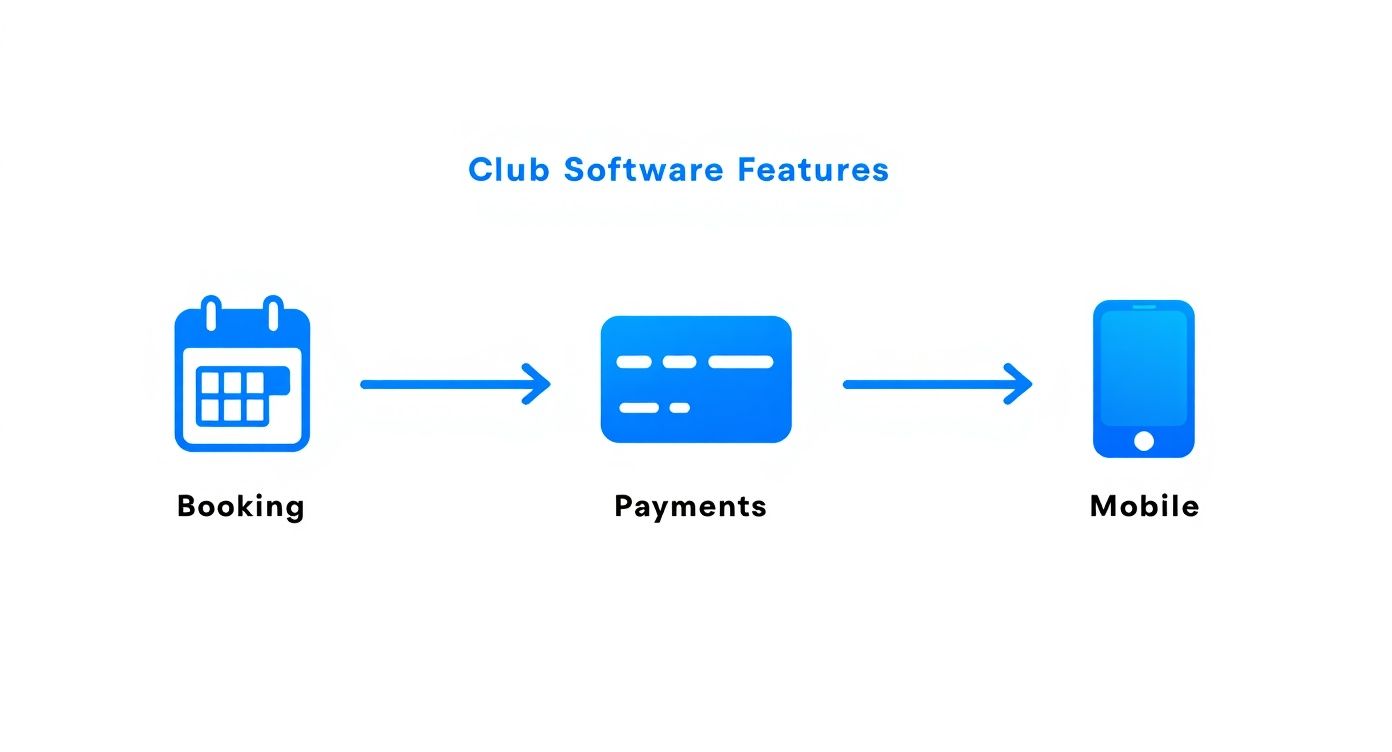
It really shows how a member’s journey—from booking a court to making a payment and checking their schedule on their phone—becomes one single, connected experience. That’s the goal.
Creating Your Migration Checklist
Once your data is sparkling clean, it's time to map out exactly what needs to move over. This is where you’ll want to work hand-in-glove with your new software provider. Their onboarding team has done this hundreds of times, and they are your single best resource during this phase. Lean on them.
Your migration checklist should cover the absolute essentials:
- Member Data: Not just names. You need their contact info, current membership types, and those all-important renewal dates.
- Payment Histories: Records of every past payment, class pack purchase, and especially any outstanding balances. You can't afford for those to get lost in the shuffle.
- Future Bookings: This is a big one. Every upcoming court reservation, class sign-up, and private lesson has to be transferred perfectly to avoid total scheduling chaos.
Here's a pro tip: Don't be afraid to ask for a test migration. Most providers are happy to import a small sample of your data first. This lets you spot any potential issues—like a member's payment history getting mapped to the wrong field—before you commit to moving everything. It’s a simple step that can save you from a world of hurt.
A successful data migration is the foundation of a successful software launch. Time spent cleaning and planning upfront pays off tenfold in operational stability and member trust down the line.
Connecting Your Other Business Tools
Finally, let's talk about the other tech you're already using. Does your club rely on QuickBooks for accounting or use a tool like Mailchimp for email newsletters? A critical part of implementation is getting these tools to talk to your new club manager software. This is what creates a truly seamless flow of information and kills the soul-crushing need for manual data entry.
For example, when your new software is integrated with QuickBooks, every membership payment automatically syncs with your financial records. Think of the hours you'll save on reconciliation alone.
Bring up these integrations early in your conversations with vendors. Make sure they can support the tools your business depends on. A well-integrated system isn't just a "nice-to-have"—it's what will genuinely streamline your entire operation.
Rolling Out Your New System to Staff and Members

Even the most powerful software is useless if your team can't work it and your members won't use it. A smooth launch isn't about flipping a switch; it's about smart communication and practical training that turns a potentially stressful change into a genuine upgrade for everyone.
The best way to do this is with a phased rollout. Don't go live for everyone at once. Start with a "soft launch" just for your staff. This gives them a safe space to click around, build confidence, and iron out any little quirks before a single member logs in.
This internal training period is also your chance to identify and empower a few "super users" on your team. Having a couple of go-to experts at the front desk or on your coaching staff can make the full launch feel almost effortless.
Train for the Role, Not the Whole System
Your tennis pro doesn't need to know the ins and outs of your point-of-sale system, and your front desk team doesn't need to master advanced analytics. Overwhelming people with features they'll never use is a fast track to confusion and frustration.
Instead, create targeted, role-specific training sessions:
- Front Desk & Admin: Focus on the daily grind—member profiles, processing payments, and court or class check-ins.
- Coaches & Instructors: Keep it simple. Show them how to manage their schedules, see who's signed up for their clinics, and message attendees.
- Management: This is where you dive into the big picture—reporting dashboards, financial analytics, and membership growth tools.
This approach makes training much faster and way more effective. And with modern cloud-based systems, your team can often train from anywhere. This move to web-based platforms is a huge trend, driven by scalability and lower startup costs, which is a major win for clubs looking to operate more efficiently. You can see more data on the adoption of club management software across the industry.
Getting Your Members On Board
Now for the most important group: your members. The key here is to frame this new software as a huge benefit for them, not just an operational change for you. Start talking about it early and keep the communication coming.
A simple, effective communication plan looks something like this:
- The "Heads-Up" Email (2 weeks out): Send a message announcing the upcoming upgrade. Get them excited by highlighting benefits like easier booking, a slick new mobile app, or simpler payment management.
- Launch Day Blast: On the day you go live, send another email announcing the system is ready. Most importantly, include a direct link to the new member portal or app download page. Make it easy.
- Hands-On Help (First Week): Have extra staff on hand specifically to help members book their first court or sign up for their first class in person. A little hand-holding goes a long way.
Create a simple, one-page PDF guide with screenshots showing members how to book a court or class. Print it out for the front desk and attach it to all your emails. It's an incredibly effective tool.
This kind of proactive support shows you value their time and experience, turning a potential headache into a moment of positive engagement with your club.
Measuring the ROI of Your New Software
You’ve invested in the platform, rolled it out to your team, and gone live. So, was it the right move? Proving the value of your new club manager software isn’t about gut feelings or guesswork. It's about tracking real, tangible data that tells a clear story of growth and newfound efficiency.
The good news is that your software’s built-in reporting tools are designed for exactly this. They turn the daily hum of your operations into measurable Key Performance Indicators (KPIs). Instead of just feeling busier, you can now see precisely how your club is performing and show stakeholders the software’s direct impact on your bottom line.
Key Metrics to Monitor
The best way to start is by focusing on a handful of high-impact metrics. These KPIs naturally fall into three buckets: operational, financial, and member-focused. Each one gives you a different—and equally important—view of your success.
Here are a few great metrics to start tracking immediately:
- Court Utilization Rate: How effectively are you filling your courts? A 15-20% jump in utilization after launch is a powerful sign that your new system is working.
- Online Booking Percentage: What percentage of your bookings are now coming through the app versus phone calls or walk-ins? You should be aiming for over 80% to prove you’ve slashed the front-desk workload.
- Reduced Administrative Time: This one is huge. Poll your staff. How many hours a week are they saving on tasks like chasing payments, manually adjusting schedules, and pulling reports?
A club manager in Austin told us, "Our admin staff reclaimed nearly 8 hours a week, which we immediately reallocated to launching a new junior pickleball program. The software didn't just save time; it created new revenue opportunities."
Financial and Member-Focused KPIs
Beyond pure operations, your software should be a direct driver of your financial health and member happiness. You’ll want to monitor metrics that clearly show revenue growth and better retention, as these are the lifeblood of any successful club.
For a deeper look at what’s possible, our revenue calculator can help you project the financial impact of even small improvements in these key areas.
Keep a close eye on these financial and member KPIs:
- Secondary Spending: Are members buying more from the pro-shop? Signing up for clinics? Bringing guests? Track all the sales processed directly through the software.
- Member Churn Rate: A dip in the number of members leaving each month is one of the strongest indicators that the new, seamless experience is a hit.
- Membership Growth: This one’s simple but crucial. Are you attracting new members faster than you were before?
By pulling these numbers into a simple monthly dashboard, you can easily demonstrate the value of your investment. More importantly, you'll be armed with the data you need to make smarter, more confident decisions for the future of your club.
Frequently Asked Questions
How Much Should I Budget For Club Manager Software
Every club’s needs are unique, so costs can swing quite a bit. Most providers offer cloud-based, monthly subscriptions tailored to your size and feature set.
You might see fees as low as under $100/month for a single-studio setup, while a multi-court facility could run several hundred dollars monthly. Key cost drivers include:
- Number of active members
- Multiple locations or courts
- Advanced modules like a white-labeled mobile app or email marketing integrations
Don’t forget to get clarity on one-time charges—setup fees, data migration, and payment processing rates can add up quickly.
Can I Switch Software With Hundreds Of Existing Members
Absolutely. Migrating large member lists is routine for reputable vendors. The cornerstone is a clean data export from your current system.
Make sure you gather:
- Member names and contact details
- Membership types and expiry dates
- Payment history and billing info
Ask potential partners to outline their migration timeline, acceptable file formats, and the hands-on support they’ll provide. That way, you’ll avoid surprises and keep your members happy.
What Is The Biggest Mistake To Avoid
Chasing flashy features without first nailing down your core processes is a recipe for frustration. Too often, clubs sign up for bells and whistles they’ll never use and ignore critical day-to-day functionality.
Common pitfalls include:
- Overlooking ease of booking for members
- Skipping thorough testing of staff reporting tools
- Not defining a clear “must-have” feature list before demos
Start with an honest internal audit. List the non-negotiables for your front-desk team and back-office staff, then test those exact workflows during your trials.
Ready to elevate your club’s operations and member experience? See how Book & Go delivers a seamless, white-label solution designed for modern sports and wellness facilities. Discover Book & Go today!